Keep Scrolling: YouTube Shorts Auto-Scroller
Watch YouTube Shorts hands-free with automatic reel transitions, sponsored ad skipping, context-aware comment drawer pausing, loop multipliers, keyword blacklists, and background tab playback.
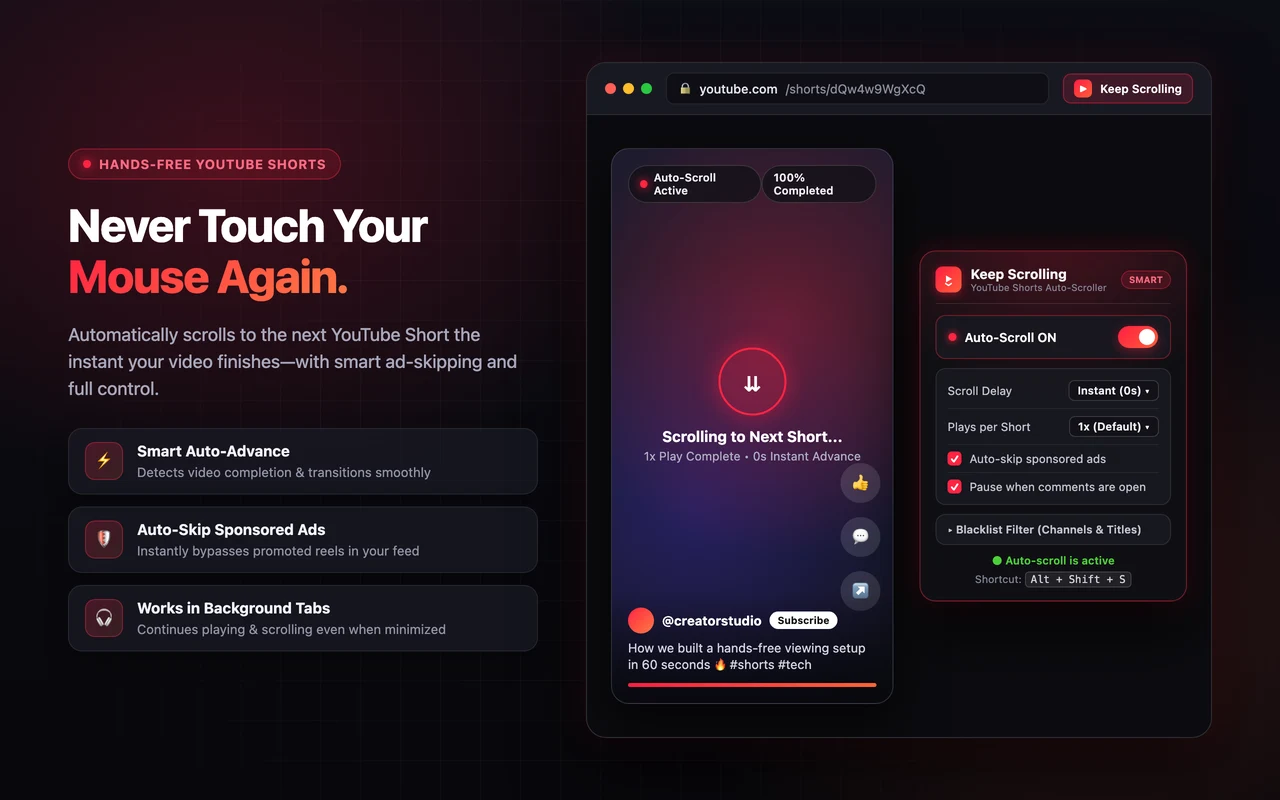
Keep Scrolling is a lightweight, zero-dependency Manifest V3 Chrome Extension engineered to advance YouTube Shorts automatically the moment a video finishes playing. Version 1.2.9 introduces a Sleek Dark & Crimson Neon glassmorphic interface alongside granular playback controls.
Key capabilities include:
- Smart Auto-Advance: Smoothly transitions to the next Short when playback completes while respecting manual pauses.
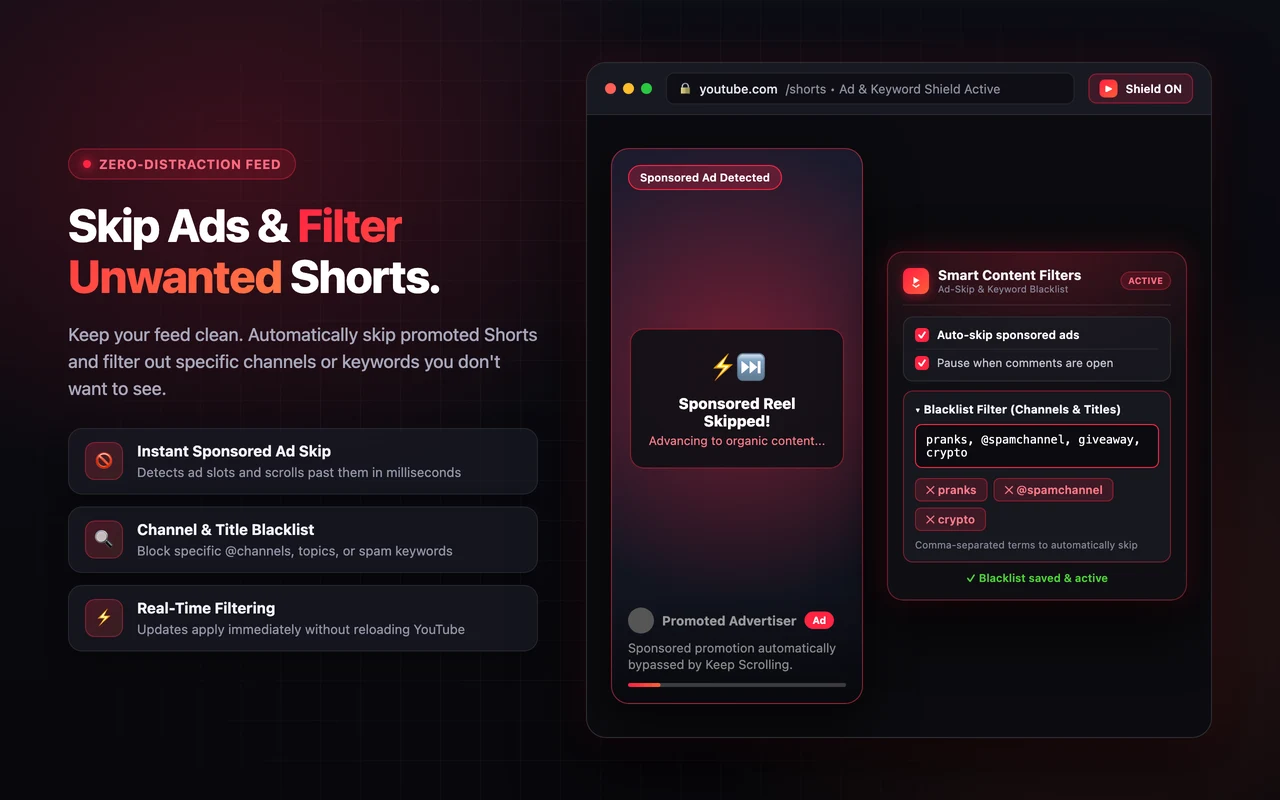
- Auto-Skip Sponsored Ads: Detects and skips past promoted and sponsored Shorts in real time using multi-layer DOM inspection.
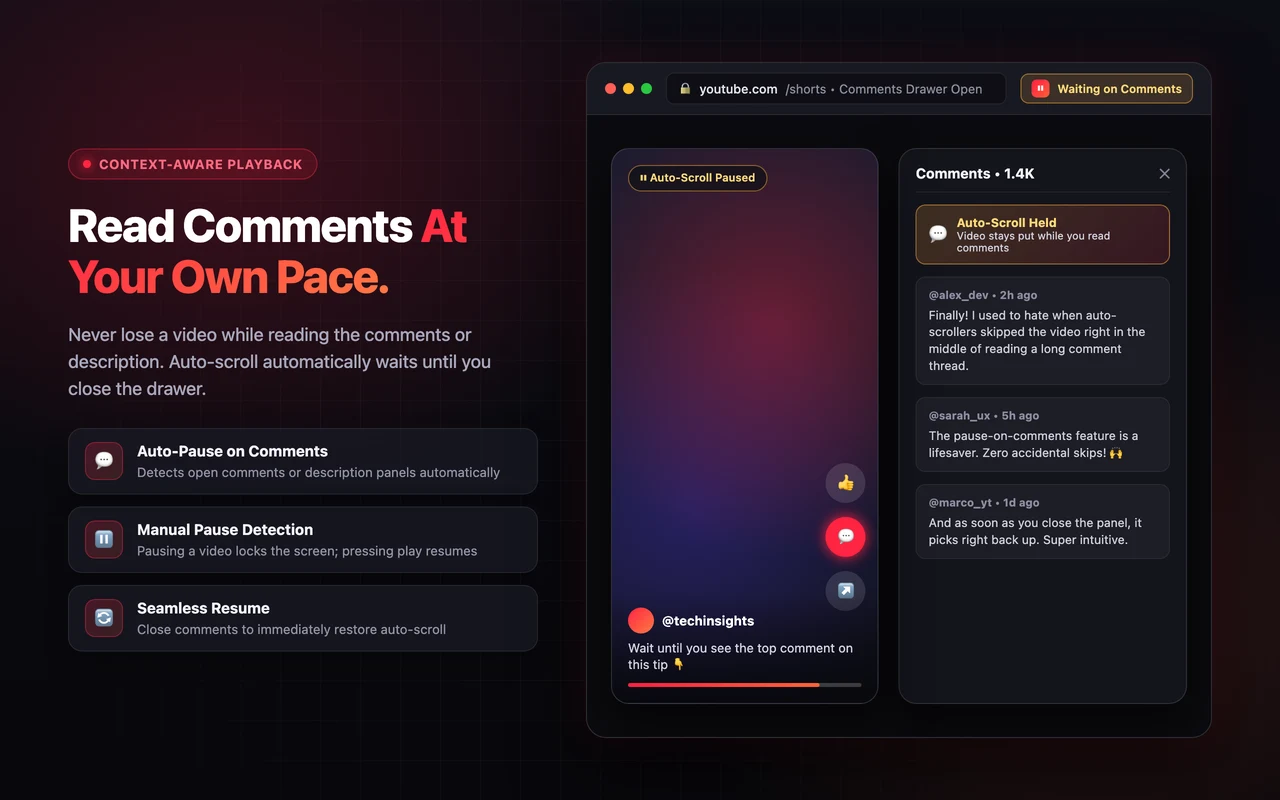
- Smart Pause on Comments: Holds auto-advancement whenever the YouTube Shorts comments or description drawer is expanded so a video never scrolls away while you are reading.
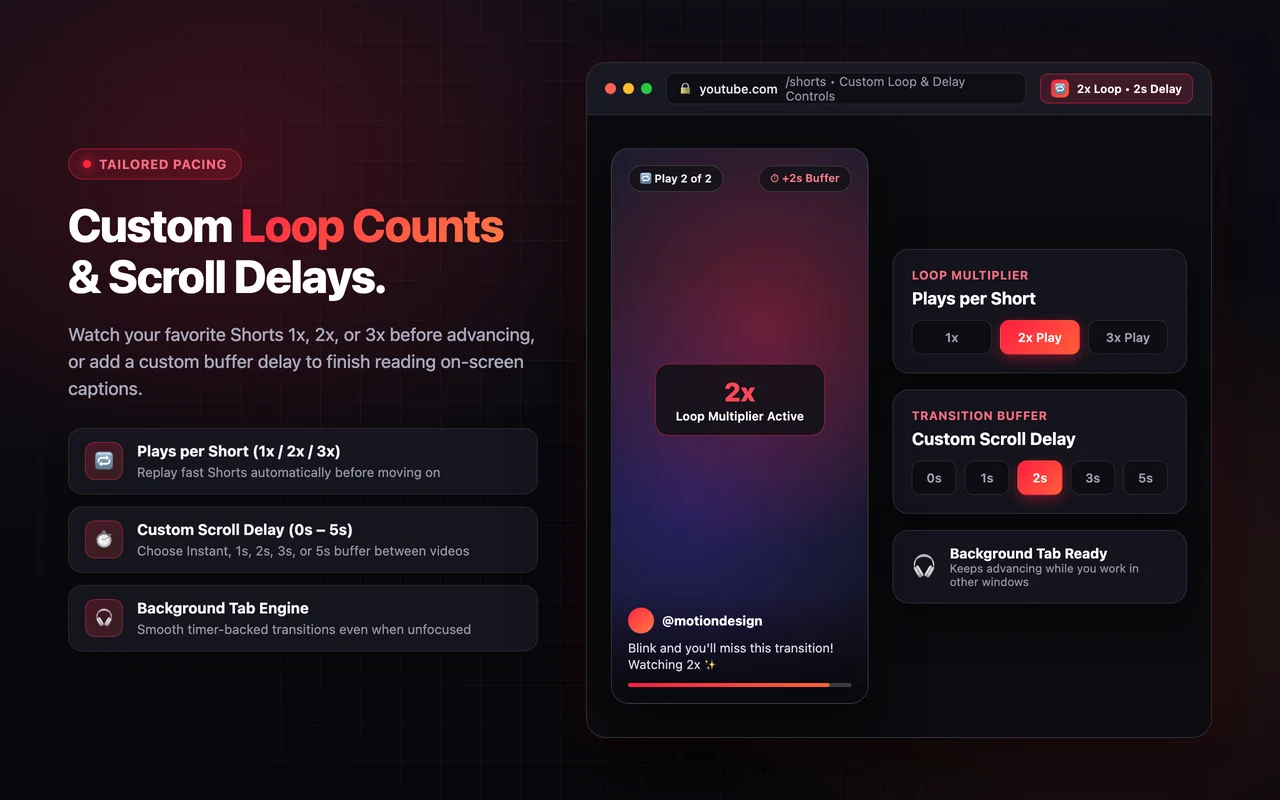
- Plays per Short (
1x,2x,3x) & Custom Scroll Delay (0s–5s): Watch each Short up to three times before advancing, or add a1s–5spost-video buffer to finish reading on-screen captions. - Channel & Title Blacklist: Automatically skip Shorts from specific channels (
@channelname) or video titles matching your comma-separated filter keywords. - Background Tab Playback: Continues advancing Shorts smoothly even when YouTube is running in an unfocused or minimized tab.
- Instant Keyboard Shortcut (
Alt + Shift + S): Toggle auto-scrolling on or off from anywhere on YouTube without opening the toolbar popup.
Technical Architecture: Reverse-Engineering Keep Scrolling
YouTube Shorts runs inside YouTube's custom Polymer/Web Components Single Page Application (ytd-shorts), which recycles <video> elements, preloads adjacent reels in the background, and loops videos natively rather than firing standard HTML5 ended events. Below is how Keep Scrolling (src/content.js, src/popup.js, and src/background.js) coordinates playback across these constraints.
[ YouTube SPA (yt-navigate-finish / MutationObserver / 1.5s Heartbeat) ]
       │
       ▼
[ refreshActiveVideo() in src/content.js ]
       ├── 1. Isolate active reel: ytd-reel-video-renderer[is-active]
       ├── 2. Ad Guard (isAdShort) ──────────► Immediate goToNextShort()
       ├── 3. Blacklist Filter (checkBlacklistMatch) ─► Immediate goToNextShort()
       └── 4. Bind HTML5 <video> listeners (timeupdate, seeked, ended, pause, play)
                │
                ▼
       [ Loop & End Evaluation (handleVideoEnded) ]
                ├── Check pauseOnComments (isCommentsOrDescriptionOpen)
                ├── Enforce 1200ms load grace period & 1600ms debounce
                ├── Increment currentShortPlayCount < loopCountTarget (1x / 2x / 3x)
                └── Apply scrollDelaySeconds (0s..5s) ──► goToNextShort()
1. Active Video & Reel Isolation (getActiveReel & getActiveVideo)
Because YouTube keeps multiple <video> nodes mounted in the DOM to preload upcoming Shorts, attaching listeners to document.querySelector('video') binds to stale or off-screen reels. Keep Scrolling scopes all queries to the active reel container (ytd-reel-video-renderer[is-active]):
function getActiveReel() {
  return (
    document.querySelector('ytd-reel-video-renderer[is-active]') ||
    document.querySelector('ytd-shorts-player[is-active]')
  );
}

function getActiveVideo() {
  const activeReel = getActiveReel();
  if (activeReel) {
    const vid = activeReel.querySelector('video');
    if (vid) return vid;
  }

  const videos = Array.from(document.querySelectorAll('ytd-reel-video-renderer video, video'));
  const playingVideo = videos.find((v) => !v.paused && v.currentTime > 0);
  return playingVideo || videos[0] || null;
}
2. Multi-Layer Sponsored Ad Detection & Channel/Keyword Blacklist
When a new reel becomes active (reelChanged), refreshActiveVideo() evaluates both the 3-layer Sponsored Ad detector (isAdShort) and the user's comma-separated Channel & Title Blacklist (checkBlacklistMatch) before attaching playback listeners:
function isAdShort() {
  const activeReel = getActiveReel();
  if (!activeReel) return false;

  // 1. YouTube player ad state classes
  const player = activeReel.querySelector('#movie_player, .html5-video-player');
  if (player && (player.classList.contains('ad-showing') || player.classList.contains('ad-interrupting'))) {
    return true;
  }

  // 2. Visible sponsored or ad badge elements (ignoring hidden templates via offsetParent)
  const badges = activeReel.querySelectorAll(
    'ytd-badge-supported-renderer, .ytd-badge-supported-renderer, badge-shape, [badge-style-type="BADGE_STYLE_TYPE_AD"]'
  );
  for (const b of badges) {
    if (b.offsetParent === null) continue;
    const text = b.textContent?.trim().toLowerCase() || '';
    if (
      text === 'sponsored' ||
      text === 'ad' ||
      text === 'promoted' ||
      b.getAttribute('badge-style-type') === 'BADGE_STYLE_TYPE_AD'
    ) {
      return true;
    }
  }

  // 3. Visible action companion ad renderer
  const actionAd = activeReel.querySelector('ytd-action-companion-ad-renderer');
  return Boolean(actionAd && actionAd.offsetParent !== null);
}

function checkBlacklistMatch() {
  if (!blacklistTerms.length) return null;
  const activeReel = getActiveReel();
  if (!activeReel) return null;

  const channelText = (
    activeReel.querySelector('#channel-name, ytd-channel-name, .ytd-channel-name')?.textContent || ''
  ).toLowerCase();
  const titleText = (
    activeReel.querySelector('h2.title, #video-title, .title.ytd-reel-player-overlay-renderer')?.textContent || ''
  ).toLowerCase();
  const combined = `${channelText} ${titleText}`;

  for (const term of blacklistTerms) {
    if (term && combined.includes(term)) {
      return term;
    }
  }
  return null;
}
3. Context-Aware Comment & Description Drawer Pause
To prevent a Short from scrolling away while the user is reading or typing a comment, isCommentsOrDescriptionOpen() inspects YouTube's engagement panel visibility attribute (ENGAGEMENT_PANEL_VISIBILITY_EXPANDED) as well as the rendered height of #comments:
function isCommentsOrDescriptionOpen() {
  const panel = document.querySelector(
    'ytd-engagement-panel-section-list-renderer[visibility="ENGAGEMENT_PANEL_VISIBILITY_EXPANDED"]'
  );
  if (panel) return true;

  const comments = document.querySelector('#comments:not([hidden])');
  if (comments && comments.offsetParent !== null && comments.getBoundingClientRect().height > 50) {
    return true;
  }
  return false;
}
4. Background Tab Loop Detection, Plays-per-Short Multiplier & Scroll Delay
Because YouTube Shorts loops <video> elements natively instead of pausing at duration, relying solely on ended fails—especially in background tabs (document.hidden === true) where Chromium throttles timeupdate events to once per second.
Keep Scrolling combines three detection signals alongside a configurable loopCountTarget (1x, 2x, 3x) and scrollDelaySeconds (0s–5s):
- Wrap-Around Time Reset (
handleTimeUpdate): Detects whenlastKnownCurrentTimewas past70%ofvideo.durationandvideo.currentTimewraps back below25%. - Native
seekedListener (handleVideoSeeked): Fires reliably even in heavily throttled background tabs whenever the player seeks back to0s(< 20%after playing past60%). - Background Pause Immunity (
handleVideoPause): Ignores Chromium's automatic background media visibility pauses whendocument.hiddenis true or when the video is buffering (video.readyState < 3), ensuring only intentional foreground pauses setuserPausedVideo = true.
function handleTimeUpdate(event) {
  const now = Date.now();
  const minGap = document.hidden ? 400 : 150;
  if (now - lastTimeUpdate < minGap) return;
  lastTimeUpdate = now;

  const video = event.target;
  if (!video.duration || !video.currentTime || isTransitioning) return;

  // 1. Wrap-around loop detection (widened threshold for background tabs)
  if (lastKnownCurrentTime > 0.70 * video.duration && video.currentTime < 0.25 * video.duration) {
    lastKnownCurrentTime = video.currentTime;
    handleVideoEnded();
    return;
  }
  lastKnownCurrentTime = video.currentTime;

  // 2. Near-end threshold detection (within 0.35s)
  const timeRemaining = video.duration - video.currentTime;
  if (timeRemaining <= 0.35 && timeRemaining > 0) {
    handleVideoEnded();
  }
}

function handleVideoSeeked(event) {
  const video = event.target;
  if (!video.duration || isTransitioning) return;

  if (lastKnownCurrentTime > 0.60 * video.duration && video.currentTime < 0.20 * video.duration) {
    lastKnownCurrentTime = video.currentTime;
    handleVideoEnded();
  }
}
5. Anti-Double-Skip Navigation Lock & End-of-Feed Detection
When advancing to the next Short, goToNextShort() enforces a strict 1400ms transition lock (isTransitioning) so overlapping timeupdate, seeked, and ended events never double-skip a video. If YouTube's next-button DOM node is unavailable, it dispatches a synthetic ArrowDown KeyboardEvent and checks isAtEndOfFeed() to automatically turn off auto-scroll when the feed is exhausted:
function goToNextShort() {
  if (!isShortsPage()) return;

  const now = Date.now();
  if (isTransitioning || now - lastAdvanceTime < 1400) return;

  isTransitioning = true;
  lastAdvanceTime = now;
  currentShortPlayCount = 0;

  const nextButton = findNextButton();
  if (nextButton) {
    nextButton.click();
  } else {
    triggerKeyboardNext();
    setTimeout(() => {
      if (isAtEndOfFeed()) handleEndOfFeed();
    }, 600);
  }

  setTimeout(() => {
    isTransitioning = false;
    isProcessingVideoEnd = false;
  }, 1200);
}
Controls, Playback Modes & Shortcuts Reference
| Feature / Control | Options / Trigger | Storage Key | Technical Behavior |
|---|---|---|---|
| Master Auto-Scroll | ON / OFF Toggle | autoScrollEnabled | Enables or pauses automatic advancement across YouTube Shorts. |
| Keyboard Shortcut | Alt + Shift + S | autoScrollEnabled | Toggles auto-scroll immediately on the active YouTube tab with an on-screen toast. |
| Plays per Short | 1x, 2x, 3x | loopCount | Replays the current Short N times (currentShortPlayCount < loopCountTarget) before advancing. |
| Scroll Delay | 0s (Instant), 1s, 2s, 3s, 5s | scrollDelay | Waits the configured buffer duration after a Short finishes before advancing. |
| Auto-Skip Sponsored Ads | Checkbox (ON by default) | autoSkipAds | Immediately skips reels matching .ad-showing, BADGE_STYLE_TYPE_AD, or companion ad nodes. |
| Pause on Comments | Checkbox (ON by default) | pauseOnComments | Suppresses reel transition while the comments or description engagement panel is open. |
| Channel & Title Blacklist | Comma-separated text input | blacklist | Skips reels whose #channel-name or #video-title contains any blacklisted substring. |
Manifest V3 Permissions & Security Justification
| Permission | Scope | Technical Justification |
|---|---|---|
activeTab | Active Browser Tab | Allows the popup (src/popup.js) to detect if the current tab is on youtube.com/shorts, display live status, or offer a one-click "Open YouTube Shorts" button. |
storage | Local Storage | Saves playback preferences (autoScrollEnabled, scrollDelay, loopCount, autoSkipAds, pauseOnComments, and blacklist) locally via chrome.storage.local. |
https://www.youtube.com/* | Host Content Script | Required so src/content.js can observe <video> completion on youtube.com/shorts, check engagement panel visibility, and trigger the next reel transition. |
Client-Side Security & Zero-Server Data Guarantee
Keep Scrolling operates strictly inside your local browser environment:
- Zero External Network Requests: The extension contains no analytics SDKs, telemetry beacons, or external API calls.
- Local-Only Preference Persistence: All playback settings and keyword filters are stored exclusively in
chrome.storage.localon your device and never transmitted over the network. - Scoped Host Execution: Content script execution is restricted to
https://www.youtube.com/*and remains dormant on non-Shorts pages (window.location.pathname.startsWith('/shorts')).
Get notified about updates to this tool
No spam. Just high-quality updates about new features and guides.
Related Tools
Related Posts

Learn how to detect Google AdSense on any website using Python. Covers fast HTML scanning with BeautifulSoup, ads.txt validation, and headless Playwright automation to bypass bot protection and lazy loading.
Learn how to easily download YouTube video thumbnails using Python's requests library, without the need for heavy dependencies like Pytube. This guide covers extracting video IDs from various YouTube URL formats and fetching the highest quality thumbnail available.
This piece will introduce Make (formerly Integromat) as a direct competitor to n8n, highlighting its visual, diagram-like workflow builder. The comparison will focus on key differences in pricing models, UI/UX, and advanced features like branching logic, which are a major selling point for Make. Examples will show how to build the same complex workflow in both n8n and Make to illustrate their unique approaches.